Accents in JavaScript: Unicode normalization, accent-insensitive search and sorting with Intl.Collator
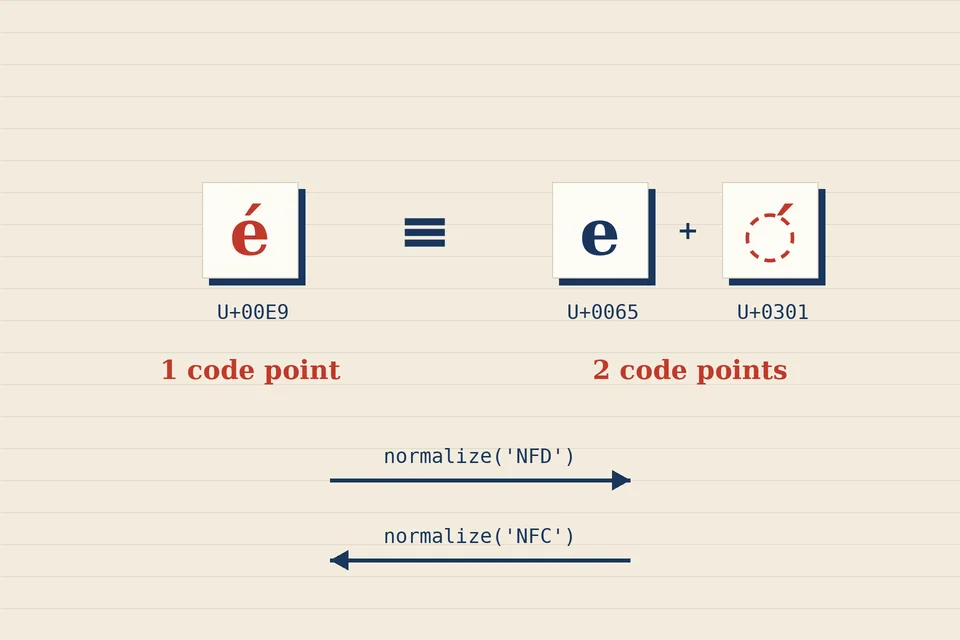
Type café into a search box, look it up in a word list that contains café, and get nothing back. Both words look identical on screen, yet === says they differ. The cause is not a bug in your code but a feature of Unicode: many accented letters can be stored in more than one way. This note explains the two ways, how normalize() reconciles them, how to build accent-insensitive search without mangling words, and when to hand the job to Intl.Collator instead. Every output shown below was checked in Node.js 22.
One letter, two spellings
Unicode can encode é as a single precomposed character, U+00E9 (Latin small letter e with acute), or as a plain e followed by U+0301, a combining acute accent that attaches to the letter before it. Fonts draw both the same way. JavaScript compares the code units, so the two strings are different:
const a = 'café';   // precomposed
const b = 'café';  // e + combining accent

a === b;        // false
a.length;       // 4
b.length;       // 5
Which form you receive depends on where the text came from. Most keyboards and web forms produce the precomposed form, but text pasted from some documents, file names from certain systems and data assembled programmatically can arrive decomposed. A word list and a user's query from different sources are exactly the situation in which the mismatch bites.
The four normalization forms
The Unicode Standard defines canonical equivalence: two sequences that represent the same abstract character, like the two versions of é above. Normalization rewrites a string into one agreed shape so that equivalent strings become byte-for-byte identical. String.prototype.normalize() takes one of four form names:
| Form | What it does | Typical use |
|---|---|---|
NFC (the default) | Composes: letter plus combining mark becomes one precomposed character where one exists | Storing and comparing text |
NFD | Decomposes: precomposed characters are split into base letter plus marks | Removing or inspecting accents |
NFKC | Like NFC, but also folds compatibility characters into plain ones | Search keys, identifiers |
NFKD | Like NFD, with the same compatibility folding | Search keys before stripping marks |
With either canonical form, the two cafés agree:
a.normalize('NFC') === b.normalize('NFC');  // true
b.normalize('NFC').length;                  // 4
a.normalize('NFD').length;                  // 5
The compatibility forms go further. They replace characters that are typographic variants of something simpler: the ligature fi becomes fi, a superscript ² becomes 2, the Roman numeral character Ⅻ becomes the letters XII. That is useful for a search index and harmful for stored text, since it throws information away. A good rule: store text in NFC, and use NFKC or NFKD only to build throwaway comparison keys.
Accent-insensitive matching
For a search box, people usually want creme brulee to find crème brûlée. The classic recipe decomposes the string and deletes the combining marks:
const fold = s => s.normalize('NFD').replace(/\p{M}/gu, '');

fold('Crème brûlée, naïve, Ångström');
// 'Creme brulee, naive, Angstrom'
\p{M} is a Unicode property escape matching every combining mark; it needs the u flag. Older snippets use the range [̀-ͯ], which covers the common Latin accents but misses marks from other blocks. The property escape is shorter and complete.
Three caveats keep this from being a universal answer:
- Some letters are not "letter plus accent". ø, ß, œ, æ and ł have no decomposition, so
fold('Øresund, Straße, cœur')returns them untouched. If oresund must match, add an explicit replacement table for the letters your users actually type. - Folding can change meaning. In Spanish, año (year) and ano are different words; in German, schön and schon are too. Folding is fine for a forgiving search, not for a spell checker deciding whether a word is correct.
- Fold both sides. Build the folded key for each list entry once, store it next to the original, and fold the query the same way. Show the original word in results, never the folded key.
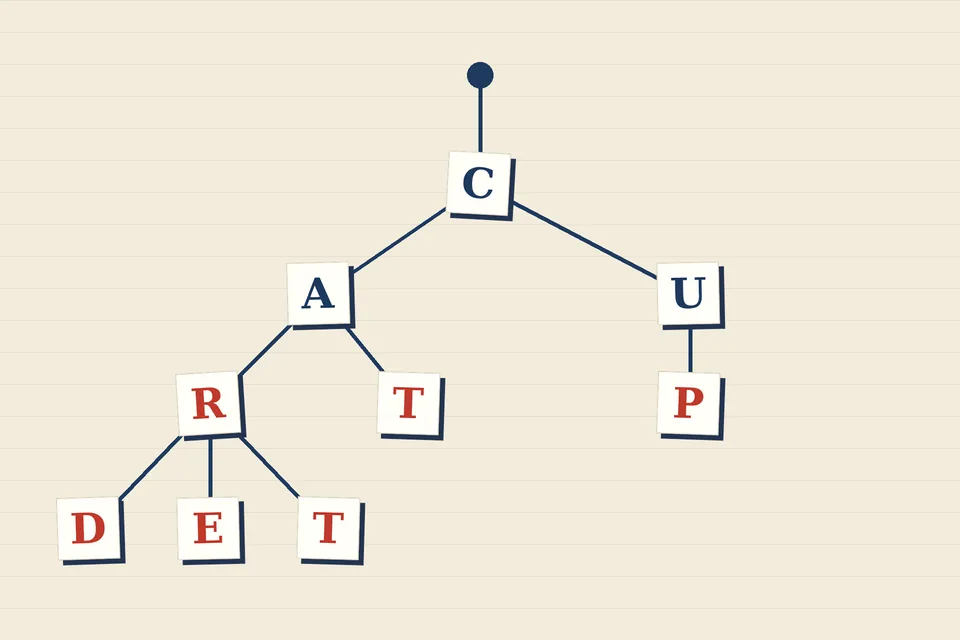
The same folded keys work for prefix search: insert them into the trie described in our earlier note and keep the original spelling on the node that ends each word.
Regular expressions and length
Decomposed text also trips up patterns. /^\p{L}+$/u rejects 'café', because the combining accent is a mark, not a letter, and the old \w class rejects é in either form, since it only knows ASCII letters, digits and the underscore. Normalize to NFC before validating, and allow \p{M} wherever you accept \p{L}.
Length is a separate trap. length counts UTF-16 code units, so an emoji outside the Basic Multilingual Plane counts as 2, and a decomposed é counts as 2 as well. Spreading a string with [...str] counts code points, which fixes the emoji but not the accent. For edit distance, normalize to NFC first and work on code points, as our Levenshtein walkthrough recommends; otherwise adding an accent costs two edits instead of one.
Comparing and sorting with Intl.Collator
Normalization makes equivalent strings identical. It does not decide that resume and résumé should count as the same word, or where Éclair belongs in an alphabetical list. That is the job of a collator, and every modern browser and Node.js ship one as Intl.Collator.
const loose = new Intl.Collator('en', { sensitivity: 'base' });
loose.compare('Resume', 'résumé');  // 0: same base letters

const accents = new Intl.Collator('en', { sensitivity: 'accent' });
accents.compare('Resume', 'resume');  // 0: case ignored
accents.compare('resume', 'résumé');  // -1: accent counts
The sensitivity option picks what counts as a difference: base ignores accents and case, accent ignores case only, case ignores accents only, and variant (the default for sorting) notices everything. A collator also handles both normalization forms itself: loose.compare('cafe', 'café') returns 0.
Sorting is where the collator really earns its place. The default Array.prototype.sort() orders by UTF-16 code units, which puts every capital letter before every lower-case one and every accented letter after z:
const words = ['zebra', 'Éclair', 'eclair', 'apple', 'Zoë'];

words.sort();
// ['Zoë', 'apple', 'eclair', 'zebra', 'Éclair']

words.sort(new Intl.Collator('en').compare);
// ['apple', 'eclair', 'Éclair', 'zebra', 'Zoë']
Alphabetical order also depends on the language. German files ä with a; Swedish treats it as a separate letter after z. The same three letters sort differently:
['ä', 'z', 'a'].sort(new Intl.Collator('de').compare);  // ['a', 'ä', 'z']
['ä', 'z', 'a'].sort(new Intl.Collator('sv').compare);  // ['a', 'z', 'ä']
Create the collator once and reuse its compare function; building a new one inside every comparison is far slower than the sort itself. For a single comparison, a.localeCompare(b, 'en', { sensitivity: 'base' }) accepts the same options.
Case folding has its own surprises
Lower-casing is the other half of a forgiving comparison, and it is not always a one-for-one swap. 'ß'.toUpperCase() gives SS, two letters for one. The capital dotted İ used in Turkish lower-cases to two code points with plain toLowerCase(), while 'I'.toLocaleLowerCase('tr') gives the dotless ı that Turkish readers expect. If your users write in a language with rules like these, pass the locale, or let a collator with sensitivity: 'base' or 'accent' handle case for you.
A short checklist
- Normalize everything you store to NFC, at the boundary where text enters your program.
- Compare for equality after normalizing both sides; never compare raw input.
- For forgiving search, keep a separate folded key (NFD or NFKD, then remove
\p{M}, then lower-case), plus a small table for letters such as ø and ß. - Sort and compare words with
Intl.Collatorand the right locale, not with<or the defaultsort(). - Treat
lengthas a count of code units, not of letters.
Normalization makes equal text identical; a collator decides which differences matter. Most accent bugs come from asking one to do the other's job.
Name matching meets the same problem from another angle: our note on Soundex in JavaScript folds accents before computing a phonetic code, for the reasons given above.
Sources
- MDN Web Docs, String.prototype.normalize() and Intl.Collator() constructor (forms, sensitivity options).
- The Unicode Consortium, Unicode Standard Annex #15: Unicode Normalization Forms (canonical and compatibility equivalence, NFC, NFD, NFKC, NFKD).
- All code outputs on this page were run in Node.js 22 on 17 November 2026; sort orders for other locales depend on the ICU data shipped with your browser or runtime.
 Under the hood
Levenshtein distance in JavaScript
Edit distance step by step, with the Damerau transposition variant.
 Under the hood
Soundex in JavaScript
The census code that files Smith with Smyth: the rules, a tested implementation and its blind spots.
 Under the hood
A trie in JavaScript
One node per shared prefix: build a trie, autocomplete from it, and use it to find near-misses without scanning the whole list.